


b-hyve Pro
4.4175.00 Reviews
App Specs
- Version
- 3.0.58
- Updated On
- License
- $9.99
- Downloads
- 10,000+
- Developer
- B-hyve
- Categories
- House & Home
- Platform
- Android
Screenshots
 Analysis by AppCompare
When I think about an irrigation app being welcoming, I look beyond whether its buttons are easy to find. It also needs to make sense to someone checking a yard between other tasks, a professional moving between properties, or a person who finds small screens and quick gestures difficult. b-hyve Pro is aimed at landscape irrigation professionals, so its value depends on how comfortably it fits that work as well as on the watering controls it offers.
Readability and navigation in daily work
The app comes from B-hyve and sits in the house-and-home category, but its professional focus makes it different from a basic home timer companion. It has a 4.7 average from around a thousand ratings, and more than ten thousand installs. Those figures suggest a real audience, though they don’t tell me whether its workflow will suit every crew or customer. The app costs $9.99, is rated for Everyone, and its current version is 3.0.51; it runs on Android 7.0 or later.
The published description of a quick, organized interface is useful as a starting point, but I would judge navigation by the tasks that matter: finding a controller, checking a zone, and making a change without losing track of the original schedule. The earlier setup experience felt straightforward, which can reduce the first hurdle for someone who is comfortable with a phone but new to smart irrigation. Still, a professional should test the workflow on an actual property before relying on it for a full day’s route.
For clearer use, I’d keep zone names specific and recognizable rather than relying on numbers alone. “Front beds” or “north lawn” is easier to interpret at a glance than “Zone 3,” especially when a client calls while you are away from the controller. This is a simple setup habit rather than a special app feature, but it can prevent the wrong area being watered when attention is divided.
Reading the yard, not just the screen
Watering zones are most useful when they reflect real differences in a landscape. A vegetable bed and a lawn should not automatically be treated as one task simply because they are close together. I would plan the zone layout first, then use the app to make those distinctions manageable. That keeps a quick manual adjustment from turning into a broad change that affects plants with different needs.
The weather-based schedule can reduce unnecessary watering when local conditions change, while manual override gives the user a way to respond to an immediate need. These are complementary tools, not substitutes for observation. A rain-adjusted plan may still need a person to check whether a shaded bed is drying differently from an exposed lawn; an extra watering run may help during heat, but repeated overrides can undermine a carefully managed schedule.
Motor and sensory considerations
Phone control can be helpful when reaching a physical controller is awkward, but it does not remove every access challenge. A user still needs to handle the phone, identify the right control, and confirm that a change has taken effect. I would not assume that every task can be completed hands-free or that the visual layout works equally well for every person.
Worth Reading Before You Choose

Flipboard Shows What News Apps Must Do Beyond the Feed

Switching to Android Auto Means Rethinking Your Driving Routine

Google Calendar Makes a Crowded Week Easier to Manage

Ludo King Makes the Most of the Minutes Between Plans

Baby Panda World Brings Quick Play to Modern Phones, but Its Game Library Feels Busy

ESPN’s Live Game View Makes Following Close Games Easier
For someone with limited dexterity, the practical question is whether the key actions are comfortable on their own device: opening a property, selecting a zone, and making a deliberate adjustment. It is worth trying these actions before an urgent situation arises. If precise taps are tiring, keeping the number of routine changes low and establishing a sensible schedule in advance may be more comfortable than frequent manual intervention.
Sensory needs matter too. The original review found the visual design pleasant, but a color scheme that looks clear to one person may not be clear to another. I’d check whether text and status differences are easy to distinguish in the lighting where the app will be used, and whether alerts are noticeable without becoming disruptive. For a worker who checks a phone outdoors, glare and bright sunlight can make a screen harder to read even when the interface is otherwise tidy.
Situational access across properties
A realistic professional day might involve checking a customer’s schedule before leaving one site, then responding to a dry-looking planter at another. The app’s zone controls and manual override can make that sort of adjustment more direct than walking back to a controller, provided the correct property and zone are clear. Before changing anything, I’d verify the location and the area name, then check the schedule afterward so a one-time response does not become an unintended routine.
For a homeowner, the same controls are useful when plans change: if a heat spell arrives, a person can consider an extra watering rather than waiting for the next planned run. But this is not a reason to water automatically whenever the weather feels hot. Soil, plant type, shade, and recent rain all matter. The app can help manage irrigation; it cannot inspect a garden or decide whether a particular plant actually needs more water.
Remote access is most valuable when it saves a real trip or makes a time-sensitive adjustment possible. It is less compelling for a small yard where the controller is easy to reach and watering needs rarely change. In that case, a conventional timer may be simpler and cheaper to maintain, while an app connected to a compatible controller makes more sense when multiple zones or changing conditions create regular work.
Where the workflow can still get in the way
The most important trade-off is that this is professional-oriented software, not simply a universal garden diary. Someone looking for plant-care reminders, a broad gardening guide, or a way to control ordinary watering equipment without a compatible smart controller may find it is not the right fit. The app is most relevant when its irrigation controls match the equipment and responsibilities the user already has.
Weather adjustment is convenient, but any automatic response should be treated as a starting point for good irrigation practice, not a guarantee that every bed receives exactly what it needs. A useful routine is to review how the schedule behaves after weather changes, then check the landscape itself. Likewise, manual override is quick, but it can lead to inconsistent watering if different people make adjustments without sharing a clear plan.
Notifications can keep a user informed about schedule changes or system alerts, as the original review noted. For a busy professional, that may be valuable, but alerts only help if they are noticed and understood. I’d avoid treating a notification as proof that a property has been inspected or that plants are healthy; it is a prompt to follow up when the situation calls for it.
The app’s listed price is another practical consideration. At $9.99, I would weigh that cost against how often phone-based control will save time or improve management across zones. A casual gardener with one simple watering routine may not gain enough to justify adding another app. A professional or a household managing a more varied landscape may find the convenience more persuasive.
Who is likely to benefit
I see the strongest case for landscape professionals who already work with compatible B-hyve irrigation equipment and need to handle several distinct watering areas. It may also suit homeowners who want to adjust irrigation remotely, keep an eye on schedules, and respond to changing weather without walking to the controller each time. For those users, the main benefit is not novelty; it is having routine irrigation decisions in one place.
I would suggest skipping it if the goal is only to water a single small patch on a fixed schedule, if the user does not have a compatible controller, or if phone-based controls are more frustrating than using a physical timer. People who need a particular accessibility feature should test the app on their own device rather than infer support from a general impression of an intuitive interface. A different controller or a simpler timer may be the better choice when it offers controls that are easier for that person to operate.
Before committing, I’d ask a few practical questions. Can the user identify each property and zone without hesitation? Can they make a manual adjustment and then confirm what schedule remains in place? Does the phone remain readable in the setting where the work happens? And will weather-based changes fit the plants and soil on that site, or will someone need to review them regularly? Trying these ordinary tasks is more revealing than judging the app from a screenshot.
A measured verdict on inclusive use
My impression is that b-hyve Pro can make irrigation management more approachable when its controls match a person’s equipment, landscape, and way of working. Weather-based scheduling, separate zones, manual adjustments, and alerts give users several ways to stay involved without constantly visiting a controller. The app’s professional focus is also a boundary: it is not automatically the best option for every gardener or every ability.
For inclusion, I would call it promising but something to evaluate in context. A clean interface and remote control can reduce some physical and organizational barriers, while outdoor screen conditions, phone handling, and the need to interpret zones can create others. A short hands-on trial with the actual controller and a representative property is the sensible next step. If the key actions are clear and comfortable, it can be a useful part of a professional watering routine; if they are not, a simpler or more physically accessible control setup is a better answer.
First things first, let’s talk about the setup experience. Downloading and installing the b-hyve Pro app was a breeze. Available for both Android and iOS, the app guides you through a straightforward setup process. All you need is your smart controller, and you’re good to go. I was pleasantly surprised at how intuitive the interface is. It’s like the app holds your hand through every step, which is fantastic if you’re not super tech-savvy.
Features Worth Highlighting
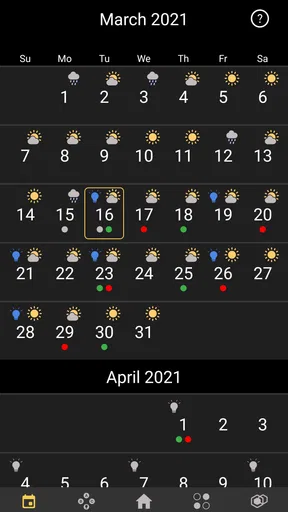
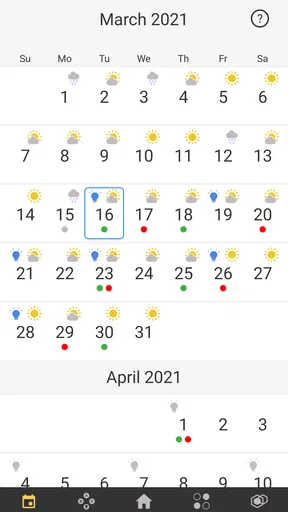
Now, let’s dig into what makes this app stand out. One of the coolest features is its weather-based watering system. The app syncs with local weather data to automatically adjust your watering schedule. This means you’re not wasting water on a rainy day—how cool is that?
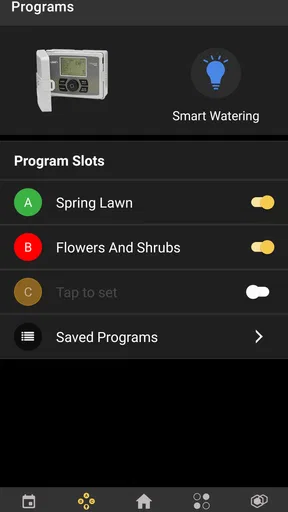
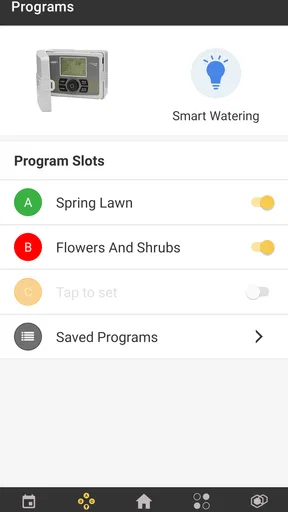
Another handy feature is the zone control. You can set up different zones in your yard and customize the watering needs for each. Whether you’ve got a veggie garden or a flower bed, you can tailor everything right from your phone.
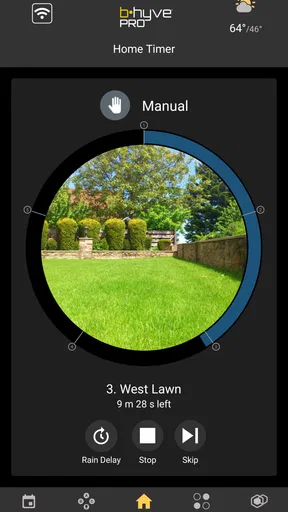
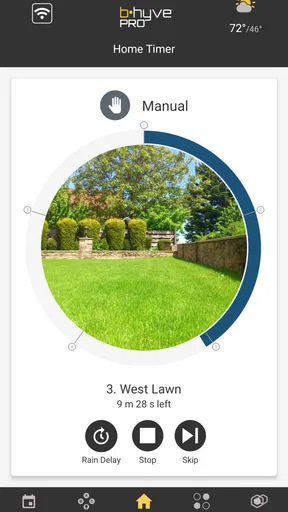
The app also supports manual override. So, if you ever feel like giving your plants an extra drink, you can do so with just a tap. It's perfect for those unexpected heatwaves.
User Experience and Design
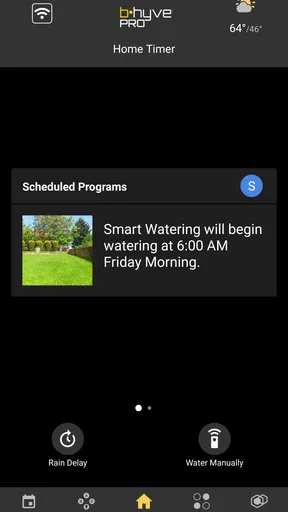
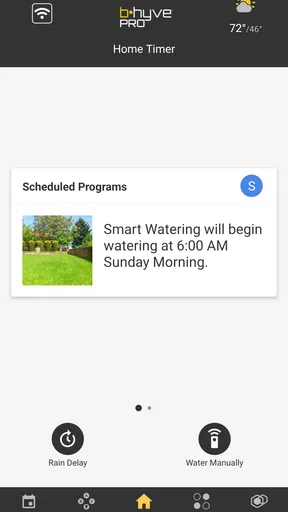
Let’s talk about the user experience. The design is sleek and modern, with a pleasing color scheme that’s easy on the eyes. Navigating through the app is a cinch, thanks to its well-organized layout. I found the dashboard particularly useful as it provides at-a-glance insights into your watering schedule and water usage.
What really impressed me was the app’s responsiveness. Switching between menus is quick, and there’s little to no lag. It’s clear the developers put a lot of thought into making the app as smooth as possible.
Performance and Reliability
In terms of performance, the app delivers as promised. I’ve been using it for a couple of weeks now, and I haven’t encountered any major issues. The connection between the app and the controller is stable, and the updates are timely.
Reliability is crucial for an irrigation app, and the app nails it. It’s comforting to know that my lawn is being cared for even when I’m away. The notifications are also a nice touch, keeping me informed about changes in the schedule or any system alerts.
Final Thoughts
So, what’s the verdict? I’d say this irrigation app is worth checking out for anyone looking to simplify their lawn care routine. It’s user-friendly, feature-rich, and most importantly, it works. The app makes it easy to conserve water while keeping your garden in tip-top shape.
Whether you’re a tech lover or just someone who wants to take the guesswork out of watering, this app is worth checking out. Give it a try, and you might find yourself with more time to enjoy a cup of coffee on your perfectly green lawn. Happy watering!
Pros
- User-friendly interface for quick setup.
- Advanced scheduling options for efficiency.
- Remote access from any location.
- Weather-based adjustments save water.
- Multiple zone management for flexibility.
Cons
- Requires stable internet for full functionality.
- Limited compatibility with older devices.
- Initial setup can be time-consuming.
- Premium features locked behind paywall.
- Occasional connectivity issues reported.
FAQs for b-hyve Pro
What is b-hyve Pro and how does it work?
b-hyve Pro is an advanced smart irrigation app designed for professionals in landscape management. It allows users to control and schedule watering systems remotely via a smartphone or tablet. The app uses weather data to optimize watering schedules, ensuring efficient water use and healthy landscapes.
Is b-hyve Pro compatible with all irrigation systems?
b-hyve Pro is compatible with a wide range of irrigation systems, especially those that support smart technology. Users should check the specific model compatibility on the app's website or through customer support to ensure their existing system can integrate with b-hyve Pro's features.
What are the key features of b-hyve Pro?
Key features of b-hyve Pro include weather-based scheduling, remote control of multiple zones, real-time notifications, and water usage tracking. The app also provides detailed reports and diagnostic tools to help professionals manage their irrigation systems more effectively.
How does b-hyve Pro benefit professional landscapers?
b-hyve Pro offers professional landscapers the ability to manage multiple properties from a single interface, saving time and increasing efficiency. The app’s smart scheduling features reduce water waste and ensure optimal plant health, which can lead to cost savings and improved client satisfaction.
Are there any costs associated with using b-hyve Pro?
While the b-hyve Pro app itself may be free to download, there could be costs associated with purchasing compatible hardware or subscribing to premium features. It’s important for users to review the pricing details on the app's official website or app store listing for comprehensive cost information.


